Launch day for a new website often feels like the finish line. The design has been approved, the content is in, and everyone wants to announce it. But many small problems only come to light after the website goes live: a form that doesn't send, images that are too heavy, or old pages that suddenly vanish from Google.
Most of these problems can be prevented with simple checks before launch. This article sets out a checklist grouped into four areas: content, function, search engines and operational readiness.
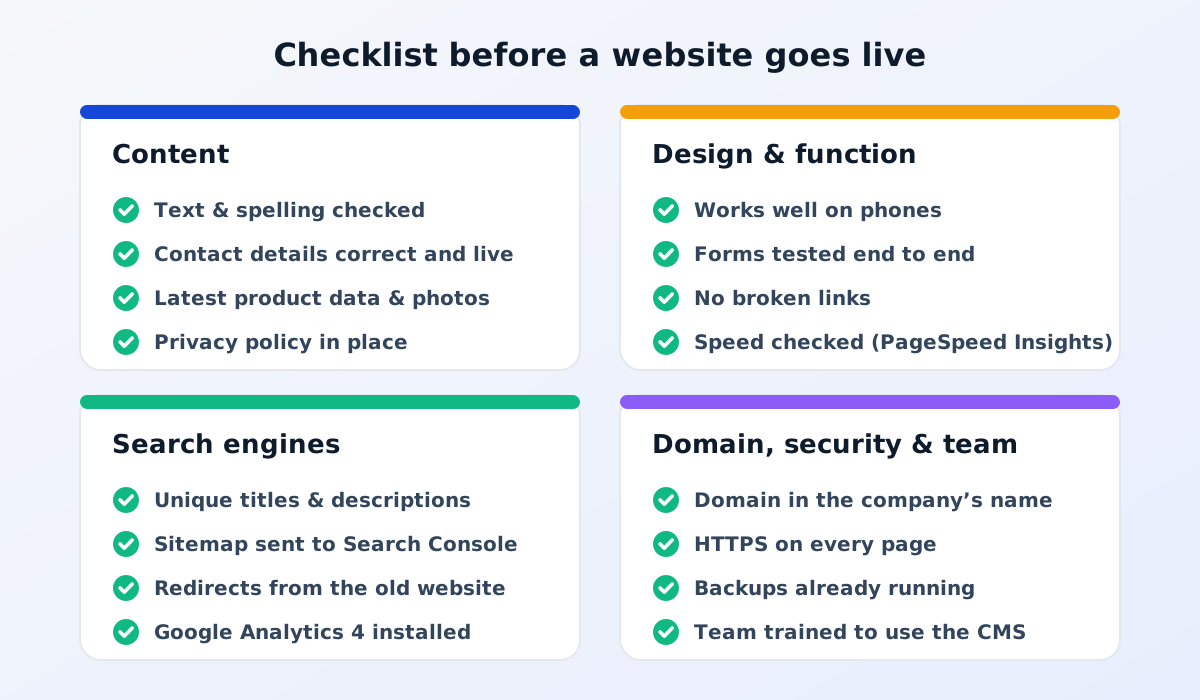
Diagram of a website launch checklist in four areas
Area 1: Content
Content is the first thing potential customers see. Check it carefully, ideally by someone who didn't write it.
Spelling and grammar: reread every page, including headings and buttons.
Contact details: address, phone number, WhatsApp number and email are correct and active.
Product data: product names, specifications and photos reflect the latest situation.
Placeholder text removed: no leftover test text or sample images from the design stage.
Privacy policy page: in place, especially if the website collects data through forms. See what it must include.
Other language versions: if the website is multilingual, make sure every version is fully translated.
The website needs to work well on a range of devices, not just on the computer screens of the team that built it.
Display on phones: open every important page on several phones. Make sure text is readable, buttons are easy to tap and nothing is cut off.
Forms tested: submit the contact and quote request forms, then make sure the messages really reach the right people.
Links and buttons: no links lead to empty or "not found" pages.
Speed: check the home page and product pages with PageSpeed Insights. Large images are the most common cause of slowness.
Different browsers: try several commonly used browsers.
Area 3: Search engines
These settings determine whether the website is easy to find on Google from the start.
Unique titles and descriptions: every page has a title and description that explain its content, different from every other page.
The website can be indexed: during development, websites are often set so that Google doesn't index them. Make sure this setting is switched off at launch.
Sitemap: in place and submitted through Google Search Console.
Redirects from the old website: if there was a website before, old page addresses are redirected to the matching new pages with 301 redirects.
Google Analytics 4: installed, with form submissions recorded as important actions so the website's results can be measured.
Launch isn't the end of the work. In the first few weeks, carry out follow-up checks:
Send one test form from the live website.
Check Google Search Console for pages that aren't indexed yet or "not found" errors. See the causes and how to fix them.
Make sure visitor data is starting to come into Google Analytics 4.
Gather feedback from your sales team and customers about anything confusing.
Update your website address on social media, your business profile, email signatures and printed materials.
Common mistakes
Rushing the launch to meet an event deadline: checks are skipped and customers find the problems.
The old website switched off without redirects: the Google rankings you had built up disappear.
Forms never tested: potential customers' messages go to an inbox nobody opens.
The no-index setting left on: the website doesn't appear on Google for weeks.
Frequently asked questions
Who should carry out these checks?
Ideally, both sides together. The website provider checks the technical side, while the company's team checks that the content is correct, since they know the products and services best.
Can a website be launched in stages?
Yes. The home, product and contact pages can launch first, with articles and additional pages following later. What matters is that the pages that are live are complete and working properly.
What if we find mistakes after launch?
That is normal, even after careful checking. Note down each issue, rank them by their impact on potential customers, then fix them one by one. Content mistakes can usually be fixed yourself through the CMS, while technical problems are best passed on to your website provider.
Time spent checking before launch is worth far more than repairing a bad impression afterwards.