How Much Does a Company Website Cost? The Factors That Decide the Price
Quotes for a company website can vary widely. Learn what drives the price and the running costs that are often forgotten before you choose a quotation.
Read the article →
Every website needs somewhere to "live" so that anyone can open it at any time. That place is called hosting. Your choice of hosting affects your website's speed, its security and how reliably it can be reached without interruption.
This article explains what hosting is, how it works, the types of hosting and what to look for when choosing it for a company website.
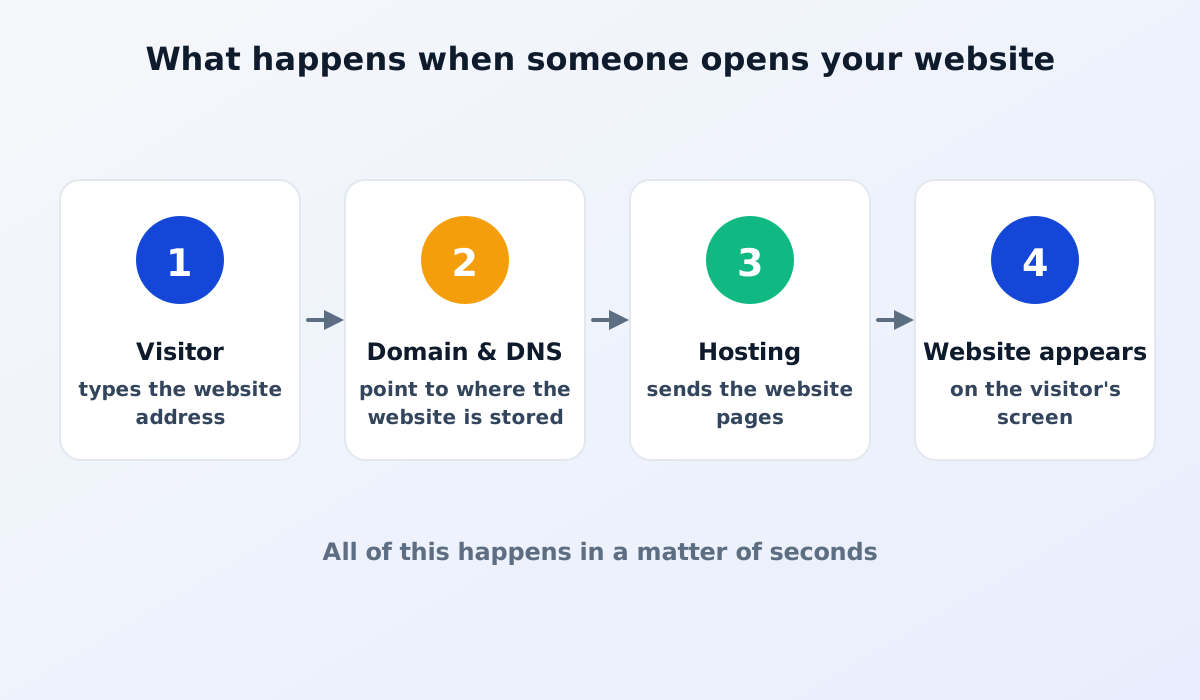
Hosting is a service that stores and serves your website. Your website's files, images and data are kept on a dedicated computer (a server) that is connected to the internet 24 hours a day. When someone opens your website, this server sends the pages to their device.
Domains and hosting are often mentioned together, but they are different things. The domain is the address, and the hosting is the place. The domain tells the browser where to go, and the hosting serves the content.
One server is shared by many websites. It is the most affordable option and suits simple websites. The drawback is that your website's performance can suffer when other websites on the same server are busy.
One server is divided into several separate parts, and you get your own part with more dependable resources. It is more flexible, but usually needs technical skills to manage, including security updates.
The website runs on a network of many servers. When visitor numbers grow, capacity can adjust. Many cloud services also serve the website from the server closest to each visitor, so the website feels faster.
The provider takes care of everything technical: servers, security, backups and updates. You don't need to think about the technical side and can focus on your content and your business. This option suits companies without a dedicated IT team.
A slow website drives visitors away and can lower your position on Google. Look at where the servers are located and whether the hosting uses a content delivery network (CDN), which serves the website from a location close to each visitor.
A company website should be reachable at any time. Ask how often the service has outages and how they are handled.
Make sure the hosting supports HTTPS with an SSL certificate, protection against attacks and regular security updates.
A backup is a copy of your website's data. If something goes wrong, the website can be restored. Ask how often backups are made and who is responsible for restoring them. An easy rule of thumb is the 3-2-1 backup rule.
When there is a problem, you need to know who to contact and how quickly they respond. Check the support hours and how to reach them.
Some services offer a cheap introductory price, but the renewal cost is much higher. Always ask what the following year will cost.
Google takes a website's speed and security into account. Fast, stable hosting helps your website perform better in search results. On the other hand, a website that is often unreachable or very slow will struggle to compete.
Read also: how to get your company website on Google.
If your company has an IT team, managing hosting yourself can be an option. For many companies, however, looking after servers, security and backups is not their core work and is easily forgotten. Managed hosting ensures all of this is handled by someone who is actually responsible for it, so your team only needs to focus on updating the content.
If you already have a website, watch for these signs:
If you recognise several of these signs, it is time to review your hosting service. Hosting problems often go unnoticed until a prospective customer complains or the website won't open.
For a very simple website, it may be. But a company website is the face of your business. Poor speed, security and reliability can harm your company's image and your position on Google. Consider the overall value, not just the price.
Yes. A website can be moved to another host, but the move needs planning so the website stays reachable throughout. Make sure you have access to your website's data and domain.
Hosting on its own only provides a place for the website. A managed website service usually includes hosting as well as maintenance: security updates, backups, fixes when something goes wrong and help with small changes.
Good hosting goes unnoticed: the website is always fast, secure and reachable.
Want a fast website without the hassle of managing servers? See our website services, which include hosting and maintenance.

Quotes for a company website can vary widely. Learn what drives the price and the running costs that are often forgotten before you choose a quotation.
Read the article →
The basic steps for keeping a company website secure: HTTPS, regular updates, strong passwords and 2FA, user access rights, backups and protection from spam.
Read the article →