How Much Does a Company Website Cost? The Factors That Decide the Price
Quotes for a company website can vary widely. Learn what drives the price and the running costs that are often forgotten before you choose a quotation.
Read the article →
On a catalogue website, product photos are often the first thing prospective buyers look at, even before they read the product name or specifications. Clear, tidy photos help buyers understand a product quickly and give the impression that your company takes its work seriously. Dark, blurry or inconsistent photos, on the other hand, make a catalogue look careless, however good the products are. For what else a product page needs besides photos, read product pages for Google and for buyers.
You don't always need an expensive studio to get decent photos. Consistency and planning matter more. This article covers the practical points to keep in mind when photographing products for your website.
Before you start shooting, decide which photos each product needs. Using the same list for every product makes the catalogue look uniform and makes it easier for your team to add new products.
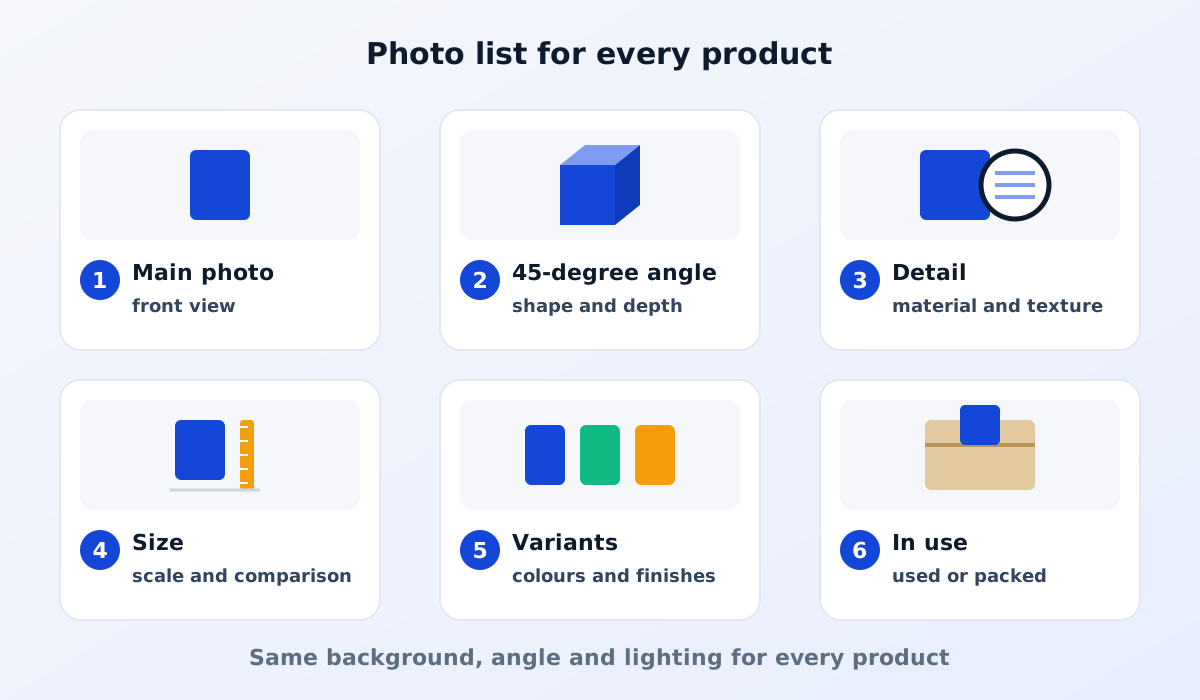
A list commonly used for B2B products:
Not every product needs all six. But the main photo should always be there, and it should be taken the same way for every product.
A plain white or light grey background is the safest choice for a catalogue. The product becomes the main focus, and the product listing pages look tidy because every photo has the same background. You can use a large sheet of paper, plain fabric or a white board as the backdrop.
For white or transparent products, a light grey background usually helps keep the product's edges visible. Whatever you choose, use the same background across the whole catalogue.
Set the same camera position and distance for every product's main photo. Place the product in the centre of the frame with a little empty space around it, so the photo still looks good when the website crops it to a square or rectangle.
Use a tripod if you can. As well as preventing blurry photos, a tripod helps you keep the same angle from one product to the next.
Soft, even light makes a product's colours look more accurate. A few tips:
For shiny products such as metal, glass or glossy plastic, reflections are often a problem. Light diffused through thin white fabric or a light box usually helps.
Photos from modern cameras are very large and don't need to be uploaded as they are. Files that are too large make catalogue pages slow to open, especially on phones.
Speed also depends on where your website is hosted. Read also: what web hosting is and how to choose it.
A file name such as IMG_4821.jpg says nothing at all. Use a name that describes what is in the photo, for example pet-bottle-500ml-screw-cap.jpg. Clear names make it easier for your team to find files and also help search engines understand what an image shows.
Alternative text (alt text) is a short description of an image that screen readers read out for people with visual impairments, and that search engines also read. Describe specifically what can be seen, for example "Clear 500 ml PET bottle with a white screw cap", rather than just "product" or "photo 1".
Learn more about how to get your company website on Google.
For many products, a modern phone can take decent photos, as long as the lighting is good, the phone is on a tripod and the background is tidy. For very small or shiny products, or those that need a lot of detail, a professional product photographer may be the better choice.
It isn't essential. A consistent plain background during the shoot is usually enough. Removing the background digitally can make everything look more uniform, but do it carefully so the product's edges still look natural.
Write a simple photography guide covering the background, angle, distance and photo list. With this guide, anyone on your team can photograph new products with consistent results and then upload them themselves through the CMS.
Good product photos don't have to be lavish, but they do have to be clear, honest and consistent across the whole catalogue.
See also our product catalogue website service, or read the essential pages for a factory website.

Quotes for a company website can vary widely. Learn what drives the price and the running costs that are often forgotten before you choose a quotation.
Read the article →
The basic steps for keeping a company website secure: HTTPS, regular updates, strong passwords and 2FA, user access rights, backups and protection from spam.
Read the article →