The first 17 hours: what bots looked for on our website
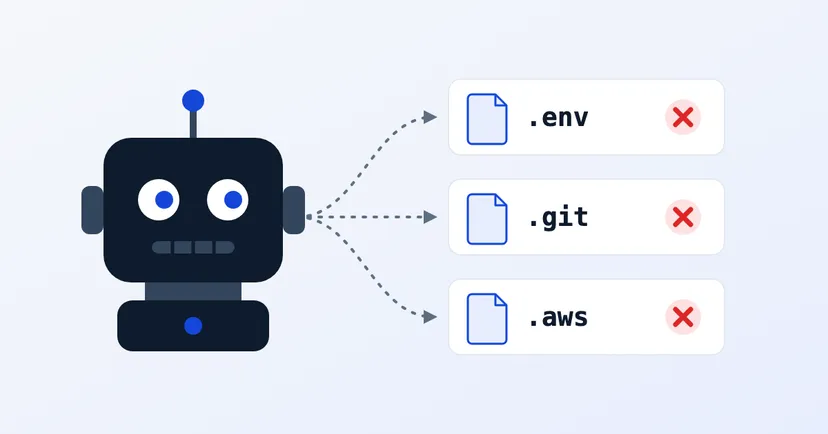
Since 12 October 2026 we have recorded one thing on digimasi.com: bots looking for files this website has never had. This is a note from the first 17 hours. The sample is still small, so read it as a first look, not as statistics.
The numbers
- 58 requests from 9 IP addresses, recorded from 12 October 18:38 to 13 October 12:01, Jakarta time.
- Those addresses are registered in 7 countries. That is where the servers are, not necessarily where the people are.
- 46 of the 58 requests came from just two addresses. The pattern was the same: arrive, work through one long list in under an hour, then leave.
None of them succeeded. The files they asked for do not exist on our website, so every request got the "not found" page.
What they looked for
- Secret configuration files (20 requests). /.env and a dozen variations: /.env.backup, /.env.production, /.env.local, /.env.save. Files like these usually hold database passwords and keys for third-party services.
- The code history folder (19 requests). The contents of /.git/. If this folder is uploaded to the server, anyone can download the website's entire code along with its change history.
- WordPress (10 requests). /wp-login.php, /xmlrpc.php and a path belonging to one plugin. Our website does not run WordPress. Bots do not care: they try first and look at the result later.
- Cloud and server keys (3 requests). /.aws/credentials and /.docker/config.json.
- Other (6 requests). Other configuration files, paths typical of certain frameworks, and PHP files.
Worth noting: AI service keys
Three requests caught our attention most: /.env.openai, /.env.anthropic and /.claude/settings.json.
So AI service keys are now on the bots' list, alongside database passwords and cloud keys. The reason is simple: such a key can be used straight away, and the bill lands on its owner.
Check your own website
You can check all of this yourself in five minutes, on a website you own:
- Open yourdomain.com/.env in a browser. You should see "not found". If you see the file's contents instead, move the file out of the public folder at once, then change every password and key inside it.
- Open yourdomain.com/.git/HEAD. This should also be "not found". If text appears, anyone can open your .git folder.
- Do not keep backup files (.zip, .sql, .bak) in a folder that can be reached from the internet.
- Keep service keys, AI keys included, in the server's settings, not in a file inside the website folder. Set a spending limit on the service account too, so a leaked key cannot run up the bill.
- If you use WordPress: limit login attempts, turn on two-step verification for admin accounts, and switch off xmlrpc.php if you do not use it.
About this data
We only observe. All the data comes from bots that came to digimasi.com on their own; we never scan anyone else's website, and we do not show IP addresses here. Addresses that clearly attack us are reported to AbuseIPDB. The full method is on the methodology page.
We will publish a fuller report once a few weeks of data have been collected.